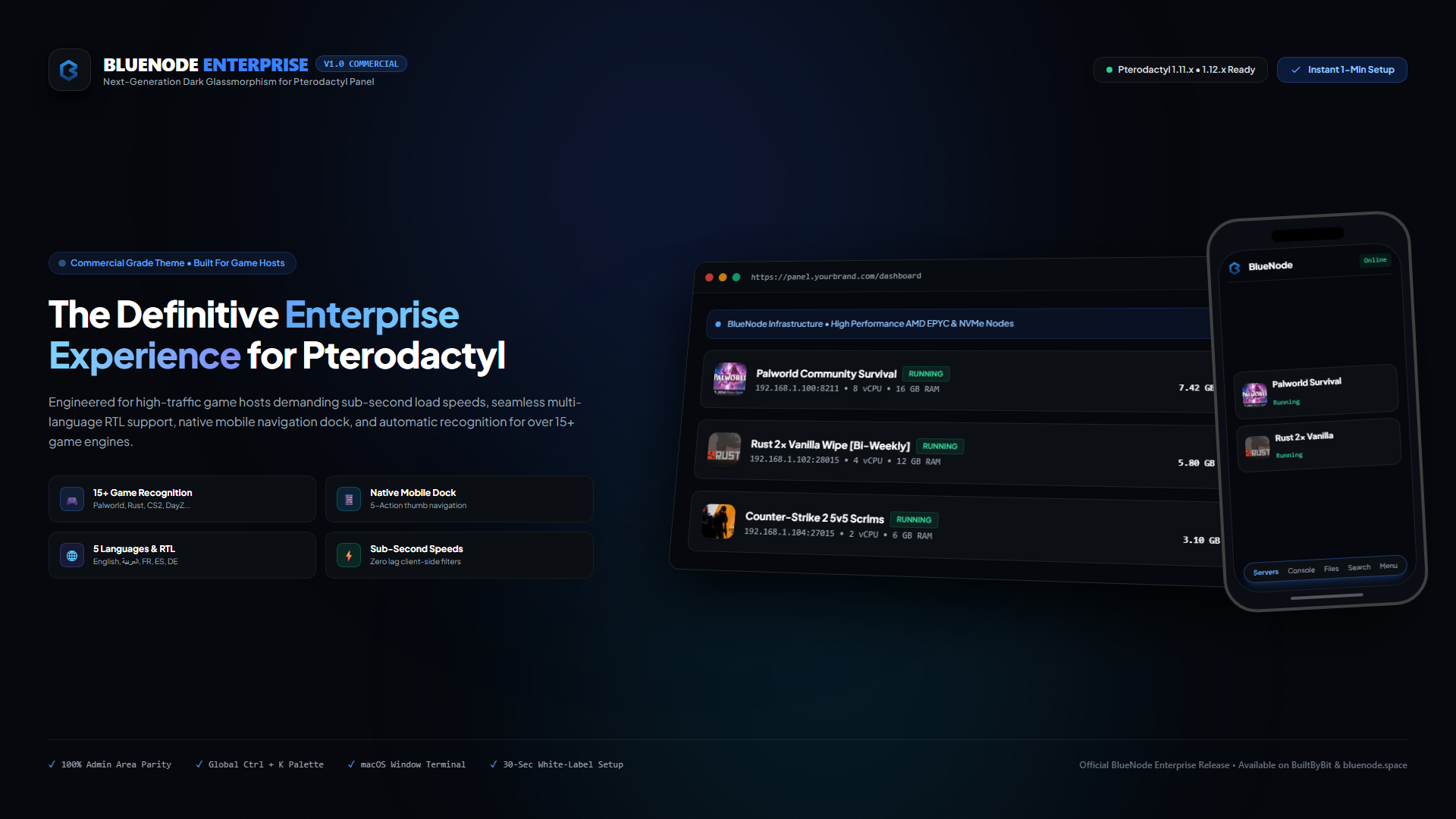


Maintained and verified directly by the BlueNode team. Includes clean files and direct support.
BlueNode Enterprise is a premium Pterodactyl theme built for professional game hosting companies. commercial hosting platforms, and server networks.
Designed with a refined dark interface, consistent Client and Admin experiences, responsive layouts, and flexible white-label configuration. The theme focuses on clean visual hierarchy, practical navigation, and a polished gaming-oriented interface.
Key Features
Game Recognition
Automatically detects supported games and eggs and displays relevant artwork throughout the panel.
Supported games include:
Minecraft
Palworld
Rust
Counter-Strike 2
DayZ
Sons of the Forest
Project Zomboid
Red Dead Redemption II
GTA V / FiveM
ARK
Valheim
Terraria
Team Fortress 2
Discord Bots
Custom Eggs
Game artwork is integrated into Server Cards and the Server Console header.
Mobile Navigation
Designed for both desktop and mobile environments.
Dedicated mobile bottom navigation
Quick access to Servers, Console, File Manager, Search, and Account
Responsive mobile header with horizontal navigation
Mobile login interface with gaming backgrounds
Touch-friendly layouts and controls
Global Command Palette
Access frequently used actions and search functions directly from the keyboard.
Supported shortcuts:
Ctrl + K on Windows and Linux
Cmd + K on macOS
/ for quick access
Search servers and available administrative actions without navigating through multiple pages.
Multi-Language Support
BlueNode Enterprise includes five languages with full RTL support:
English
العربية
Français
Español
Deutsch
The interface automatically adjusts its direction between LTR and RTL layouts.
Language support is available throughout both the Client Dashboard and Admin Area.
Enterprise Terminal
A redesigned terminal interface focused on clarity and usability.
macOS-inspired window controls
Real-time WebSocket connection status
Dedicated Clear Output button
Clean terminal layout
Improved console header presentation
White-Label Configuration
Configure your branding from a single file:
theme.config.ts
Customize:
Brand name
Logo
Discord invite
Store URL
Announcement banner
Footer copyright
Other theme branding settings
This makes it easy for hosting companies to adapt the theme to their own brand without modifying the entire interface.
